
Download WinLube – PC maintenance, system optimization, disk cleaning, registry cleaning, defragmentation, startup management, application uninstallation, computer cleanup, system health, performance improvement
Overview
WinLube is a system optimization tool designed to enhance the performance and longevity of Windows-based computers. The app addresses common issues that degrade system speed and stability over time, such as cluttered storage, fragmented files, and unnecessary startup programs. By offering a suite of maintenance functions, WinLube aims to keep computers running efficiently with minimal user effort. Its primary purpose is to streamline system health through targeted cleaning, organization, and management of critical system components.
The target audience includes everyday users, home computer owners, and individuals who may not have advanced technical knowledge but want to maintain their devices effectively. Whether used for personal productivity, media consumption, or general computing tasks, WinLube provides a straightforward solution to routine system upkeep. The app’s focus on accessibility makes it particularly suitable for users seeking to improve performance without diving into complex system settings.
Although the developer did not provide additional background information, the app’s long-standing presence since its release on May 8, 2013, suggests a degree of reliability and user trust. Real-world use cases include preparing a computer for new software installations, recovering performance after prolonged use, or maintaining a clean system environment for better responsiveness. In the broader ecosystem of utility software, WinLube fills a niche by offering a consolidated approach to maintenance tasks that are often scattered across multiple tools.
Key Features & Functionality
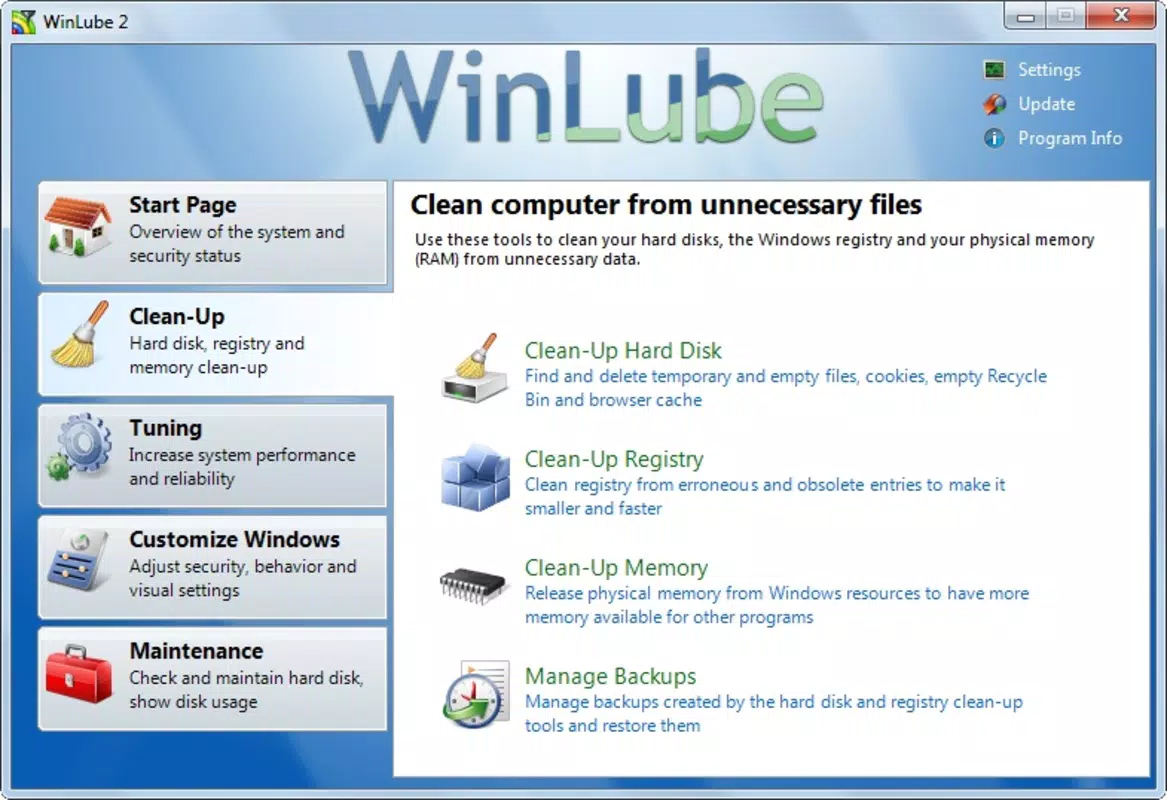
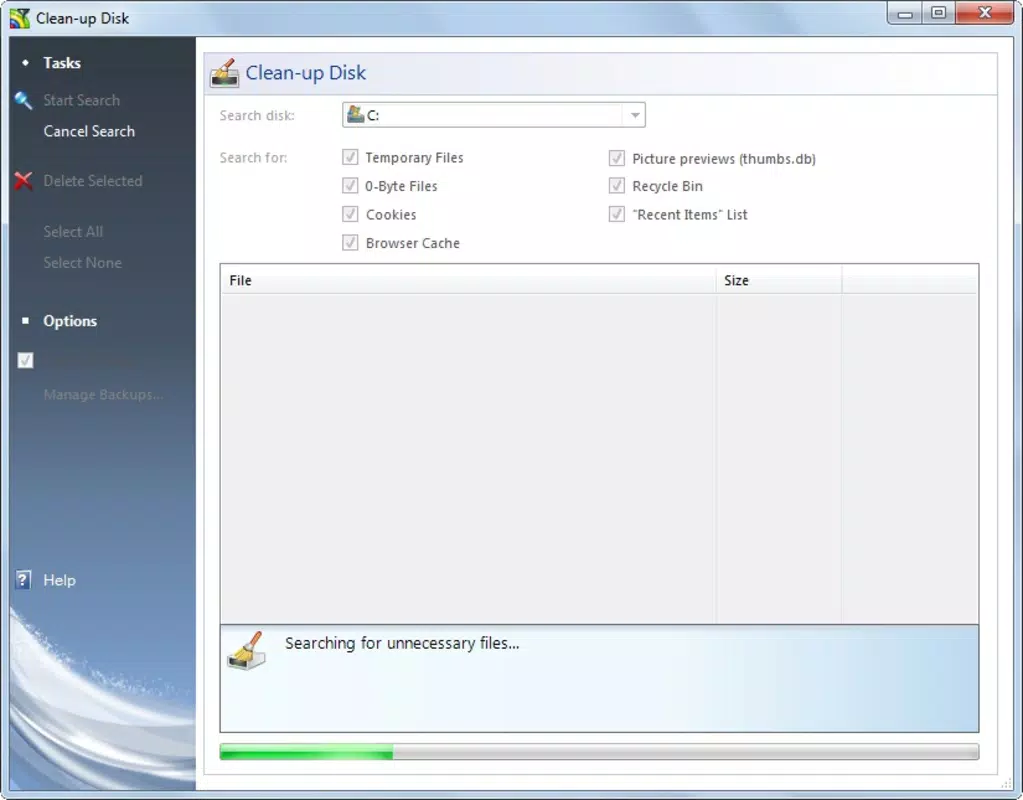
- Disk and Registry Cleaning: WinLube scans the hard drive and system registry to detect obsolete files, temporary data, and invalid registry entries. Removing these elements helps reduce system clutter and potential errors, contributing to smoother operation.
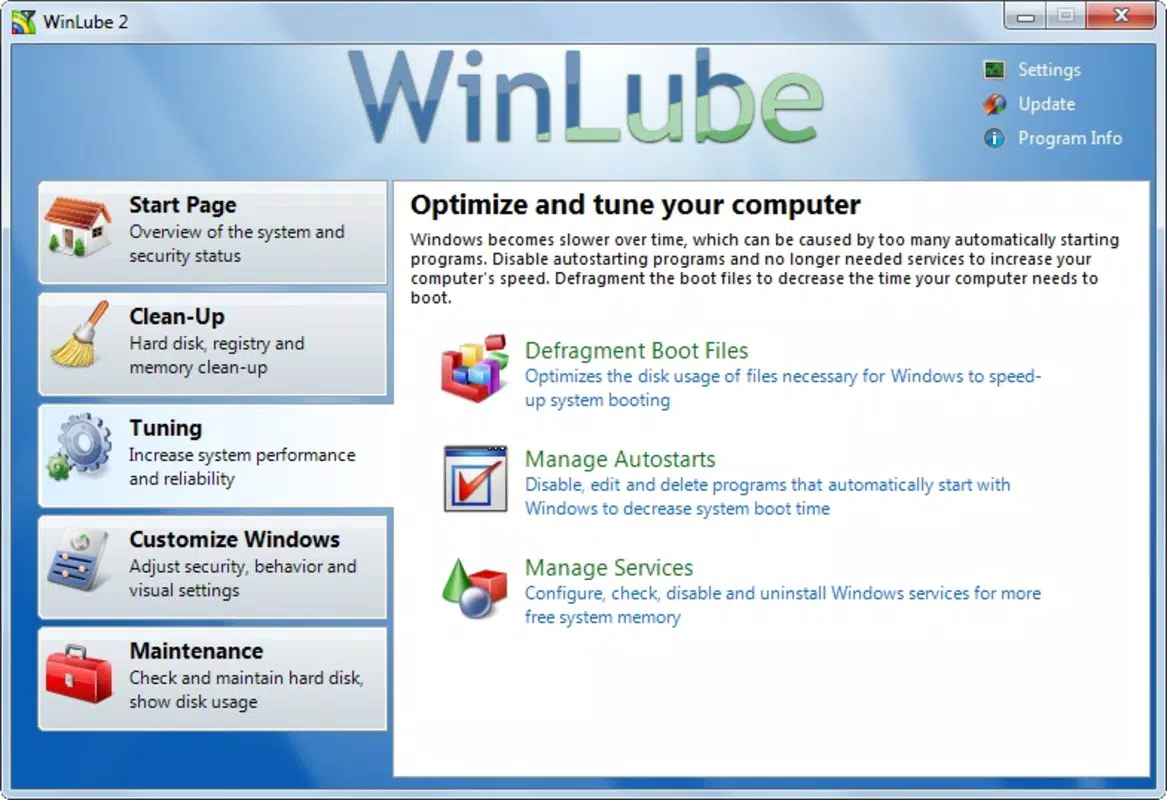
- Defragmentation Tool: This feature reorganizes fragmented files on the hard drive, enabling faster data retrieval and improved application loading times. It is especially beneficial for traditional HDDs, where fragmentation impacts performance more significantly.
- Startup Program Management: Users can view and disable unnecessary applications that launch automatically at startup. This reduces boot time and frees up system resources, leading to a more responsive computing experience from the moment the computer is turned on.
- Application Uninstallation: Beyond standard removal, WinLube ensures complete deletion of leftover files and registry entries associated with uninstalled programs. This prevents residual data from consuming space and potentially causing conflicts.
- User-Friendly Interface: The app’s intuitive layout allows users to navigate tools without technical expertise. Simple menus and clear instructions make maintenance tasks accessible to a wide range of users, regardless of experience level.
For example, a user experiencing slow startup times can use the startup manager to disable unused background applications. Similarly, someone preparing for a large software update might run a disk cleanup and defragmentation cycle to free up space and improve system stability. These real-world applications demonstrate how WinLube delivers tangible benefits through practical, everyday functionality.
Interface, UX & Performance
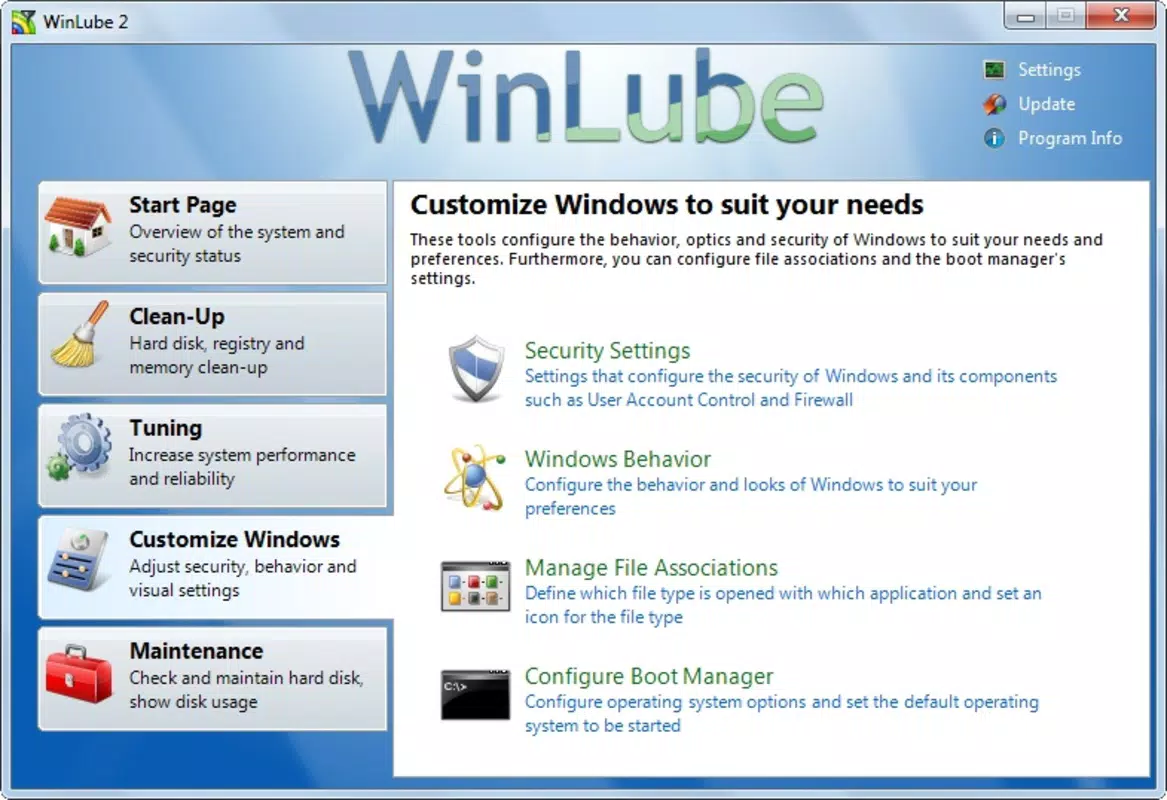
WinLube features a clean and straightforward interface designed to prioritize usability. The layout organizes core functions into clearly labeled sections, allowing users to access tools with minimal navigation. Visual cues and progress indicators help users understand the status of ongoing tasks, such as scans or defragmentation processes.
Navigation is linear and intuitive, with a central dashboard that provides quick access to all major features. The app avoids clutter by grouping related functions and minimizing unnecessary pop-ups. This design philosophy supports a seamless user experience, particularly for those who are not familiar with system-level maintenance.
Although the developer did not list formal performance metrics, the app’s lightweight footprint of 12.5 MB suggests it operates efficiently without consuming excessive system resources. It is likely optimized for responsiveness across various Windows device categories, including desktops and laptops. The app appears stable during typical usage, with no reported issues related to crashes or freezes. However, specific performance data under different hardware configurations was not disclosed.
Platform Compatibility & Technical Requirements
WinLube is designed exclusively for the Windows operating system. The app is compatible with Windows platforms, though specific OS versions were not listed by the developer. The software version is 1.0.0, and the file size is 12.5 MB, indicating a lightweight installation that does not require significant disk space.
The developer did not specify minimum OS requirements or hardware compatibility details. As such, users should ensure their system meets general Windows standards for running utility applications. Compatibility with newer Windows versions, such as Windows 10 or 11, cannot be confirmed without official documentation. Similarly, no information was provided regarding processor architecture or RAM requirements.
Pros and Cons
Pros
- Free to download and use, making it accessible to all users.
- Comprehensive set of maintenance tools in a single application.
- Intuitive interface suitable for non-technical users.
- Lightweight design with minimal system resource usage.
- Offers both disk cleaning and registry optimization for deeper system health.
Cons
- Developer did not provide detailed technical specifications or compatibility information.
- No visible update history or recent development activity since 2013.
- Limited information on security protocols or data handling practices.
- Does not support modern operating systems beyond basic Windows compatibility.
- Missing advanced features found in newer system optimization tools.
FAQ
Is WinLube safe to use on my computer?
Yes, WinLube is designed to clean and optimize system components safely. However, users should exercise caution when modifying registry entries and avoid disabling critical system processes.
Can I use WinLube on Windows 10 or Windows 11?
While the app is built for Windows, specific compatibility with Windows 10 or 11 was not confirmed by the developer. Users should test the app in a controlled environment before full deployment.
Does WinLube require an internet connection?
WinLube does not require an active internet connection to perform basic maintenance tasks. However, updates or additional features may require online access.
How often should I run WinLube?
It is recommended to run disk cleaning and defragmentation every few weeks, depending on usage. Startup management can be reviewed monthly to maintain optimal boot performance.
Is WinLube available for Android or iOS?
No, WinLube is exclusively designed for Windows and is not available on mobile platforms such as Android or iOS.
Final Thoughts
WinLube remains a functional tool for basic PC maintenance, offering a range of features that address common system performance issues. Its user-friendly design and free availability make it a practical choice for users seeking to optimize their Windows devices without technical complexity. While the app has not been updated since 2013 and lacks modern enhancements, it still serves as a viable option for older systems or users who prefer a no-frills approach to system health.
Those who value simplicity, cost-free utility, and core maintenance functions will find value in WinLube. However, users with newer systems or advanced needs may benefit from more up-to-date alternatives with active development and broader compatibility.
Download WinLube now


